

An email validation API is a real-time service that plugs directly into your applications, like website sign-up forms or your CRM. Its job is to instantly check if an email address is valid and can actually receive mail. Think of it as an automated bouncer for your database, checking every email’s ID before it gets on your list.
This simple check protects your data quality right from the source.
What Is an Email Validation API and Why Does It Matter?

Every single business that uses email marketing runs into the same nagging problem: bad data. Typos, fake addresses, and old contacts slowly but surely pile up, creating a “dirty” email list that quietly kills your marketing efforts from the inside.
An email validation API is your first line of defense against this data decay.
Imagine you’re at a conference collecting business cards. Some are perfect, but others have smudged ink or scribbled, unreadable email addresses. Instead of trying to guess later or just adding junk contacts, the API acts like an on-the-spot verifier. It’s not just about fixing typos; it’s a full check to make sure the address is real and the inbox is active.
The Real Cost of Bad Email Data
Ignoring the quality of your email list isn’t a small oversight—it has real financial and reputational costs. When you send campaigns to a list full of invalid emails, a few very bad things start to happen:
- High Bounce Rates: Your emails fail to deliver, creating “hard bounces.” Internet Service Providers (ISPs) like Google and Microsoft watch these bounces like a hawk. A high bounce rate is a huge red flag that you might be a spammer, which tanks your sender reputation.
- Wasted Marketing Spend: Every cent you spend sending emails to addresses that don’t exist is money thrown away. Worse, your campaign metrics get completely skewed, making it impossible to know what’s truly working and what your ROI really is.
- Poor Deliverability: Once your sender reputation is damaged, even your valid emails are far more likely to end up in the spam folder. They’ll never be seen by the real people you’re trying to reach. You can learn more about how critical this is in our guide explaining why email verification is essential for B2B campaigns.
The impact here is staggering. Statistics show that around 20% of marketing emails never even reach their intended recipient because of invalid addresses. That’s a massive hole in your communication pipeline and a huge opportunity for improvement.
A Growing Market for Clean Data
The business world is finally waking up to how important this is. The market for email validation tools is growing fast, currently valued at around USD 1.2 billion and projected to hit USD 3.5 billion by 2033.
This growth isn’t just a trend; it proves that reliable email data is no longer a “nice-to-have.” It’s a fundamental part of any modern digital strategy, and keeping your data clean is non-negotiable for success.
How an Email Validation API Actually Works
To really get how an email validation API works, let’s step away from the keyboard for a second. Think about sending a physical package. You wouldn’t just scribble a name on a box and hope it gets there, right? You follow a clear sequence to give it the best chance of delivery. An API does the exact same thing digitally, just in a matter of milliseconds.
This process isn’t just one single check. It’s a rapid-fire, multi-layered series of tests where each step builds on the last, all to answer one simple question: is this email address legit and active?
Let’s break down how it works, layer by layer.
Layer 1: The Syntax Check
The very first step is the most basic one: does the email address look right? This is the syntax check. In our package analogy, this is like making sure the mailing address has a street number, a street name, a city, and a postal code. It’s a simple format validation.
For an email address, the API confirms it has all the essential parts:
- A local part (the text before the @ symbol)
- An “@” symbol
- A domain name (the text after the @ symbol)
- A top-level domain (like .com, .org, or .io)
This initial once-over is surprisingly powerful. It immediately weeds out obvious typos and formatting mistakes, like “jane.doe@gmailcom” (missing the dot) or “johnsmith@.com” (missing the actual domain). It’s the simplest yet most fundamental part of the whole process.
Layer 2: The Domain and Server Check
Once the syntax checks out, the API digs a little deeper. This is like checking if the city and postal code on your package actually exist on a map. The API verifies that the email’s domain name (the “gmail.com” part) is real and, more importantly, is properly set up to receive email.
To do this, it looks up the domain’s MX (Mail Exchange) records. These are public signposts on the internet that tell everyone which mail servers are responsible for handling email for that specific domain. If a domain has no valid MX records, it simply can’t receive email, and the address is instantly flagged as invalid. This step is a great way to filter out addresses from fake or defunct domains.
This check is absolutely crucial for B2B communication. A common typo in a company domain, like
@gogle.cominstead of@google.com, is an easy mistake for a human but a simple catch for the API. It prevents a guaranteed bounce.
Layer 3: The Mailbox Verification
Now for the final and most sophisticated step: the mailbox check, also known as SMTP verification. Back to our package analogy, this is the moment of truth—confirming that the recipient’s name is actually listed on the mailbox at the address you’ve already verified. Just because the building exists doesn’t mean the person lives there.
The API initiates a “handshake” with the recipient’s mail server. It essentially simulates the very first step of sending an email without actually delivering anything. It’s like a polite knock on the door, asking the server, “Hey, just checking—do you have an inbox for a user named ‘jane.doe’?”
The server’s response gives the final verdict:
- Valid: The server says yes, that user exists. Green light.
- Invalid: The server says nope, no one by that name here. Red light.
- Catch-All: The server is configured to accept all emails sent to the domain, regardless of the name before the @. These are risky because the email might still bounce later on, so they’re often flagged for caution.
This quick infographic shows how these steps flow together to give you a clear, actionable result.
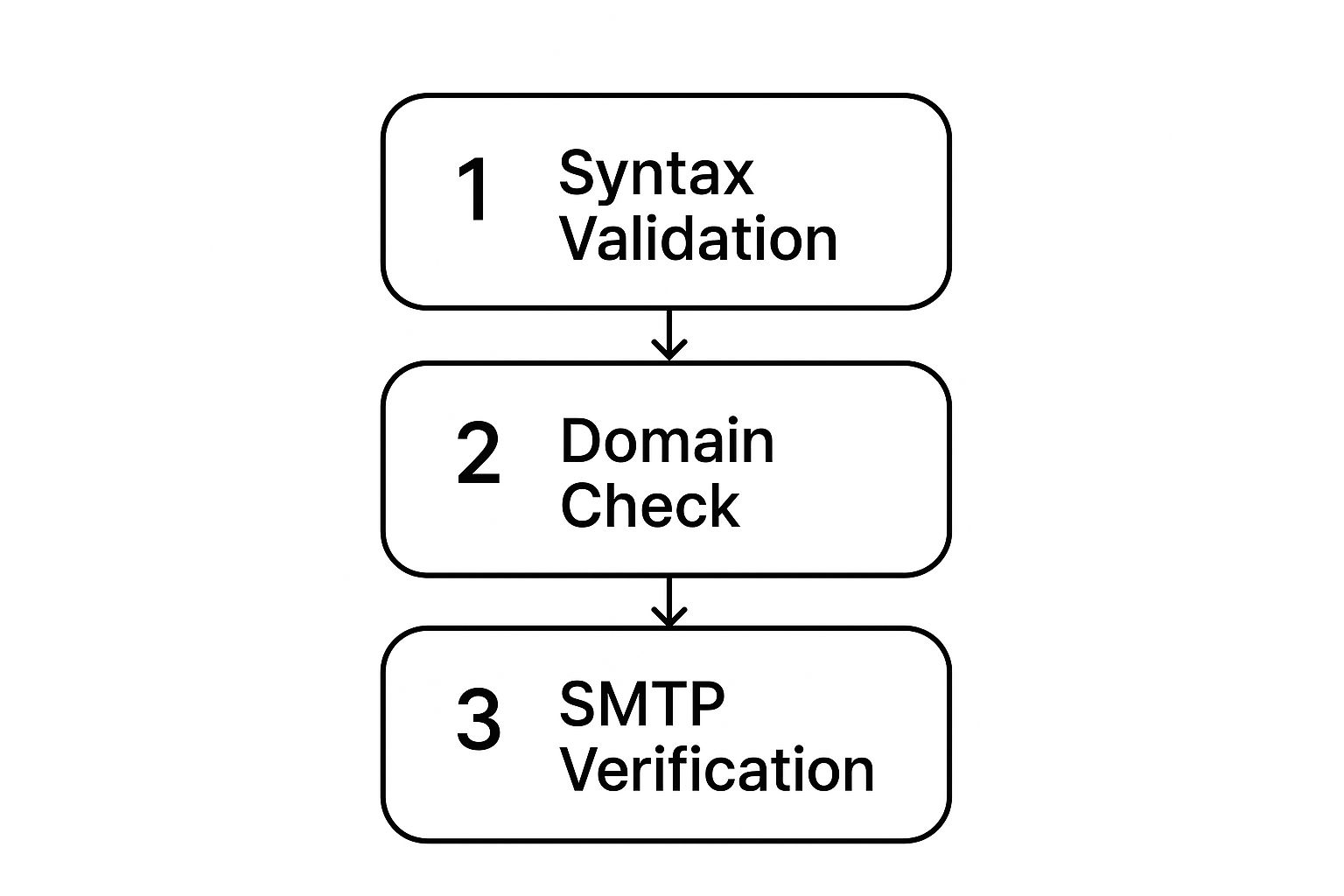
This layered approach is what makes an email validation API so effective. It moves from a broad format check to a direct server confirmation, delivering a fast and highly accurate assessment of every single email address.
The Four Core Layers of Email Validation
To bring it all together, think of the validation process as a four-part inspection. While we’ve discussed three main stages, a comprehensive check often includes a fourth layer to catch problematic but technically “valid” addresses.
This table breaks down how each layer provides a deeper level of security for your email list.
| Validation Layer | What It Checks | Example of What It Catches |
|---|---|---|
| Syntax & Formatting | The basic structure (local-part@domain.com). |
Obvious typos like john.doe@gmailcom or jane@.net. |
| Domain & DNS Records | If the domain exists and has valid MX records. | Emails from fake domains like user@nonexistentcompany.xyz. |
| SMTP Handshake | Whether a specific user mailbox exists on the server. | unknown.user@company.com when the user has left the company. |
| Address Quality | Role-based (info@), disposable, or catch-all addresses. |
Risky emails like support@ or addresses from 10minutemail.com. |
By running through each of these checks, an API can confidently tell you whether an email is safe to send, risky, or a definite no-go. It’s this comprehensive, top-to-bottom process that protects your sender reputation and makes your email marketing so much more effective.
The Tangible Business Benefits of Real-Time Validation

While the tech behind it is impressive, the real magic of an email validation API is how it directly impacts your bottom line. Integrating one isn’t just an IT task; it’s a strategic business decision that pays off in clear, measurable ways. It’s what turns the fuzzy concept of “data hygiene” into hard-and-fast results.
The most immediate win you’ll see is a huge drop in bounce rates. Every single email that “bounces” because the address is invalid sends a bad signal to Internet Service Providers (ISPs) like Gmail and Outlook. Rack up too many of those, and your sender reputation tanks, making it harder for all of your emails to ever reach an inbox.
An API acts as a gatekeeper, stopping bad email addresses right at the source. This simple, preventative step keeps your bounce rate low and your sender score high—a critical piece of the puzzle for any successful email marketing. You can dive deeper into this with our guide on how to reduce bounce rates with email validation tools.
Boosting Marketing ROI and Efficiency
It’s simple math: when more of your messages actually reach real people, your return on investment gets a healthy boost. Just think about all the resources—time, money, and creative energy—that go into every single email campaign. An email validation API makes sure that effort isn’t just disappearing into a digital black hole of dead contacts.
Here’s how that translates into better performance:
- Higher Engagement Rates: By sending to valid inboxes, you get a much clearer picture of your true open and click-through rates, which helps you fine-tune your messaging.
- Cleaner CRM Data: The API stops your customer relationship management (CRM) system from turning into a graveyard of useless, outdated contacts.
- More Effective Automation: Automated onboarding flows and nurture campaigns work far better when they’re triggered for real, verified users, not ghosts in the machine.
This sharp focus on data quality is driving huge growth in the market. The global Email Validation API market is expected to jump from $121.8 million to $362.5 million by 2032, powered by the undeniable need for cleaner communication channels. It’s a clear sign of just how essential validated data has become.
Protecting Your Brand and Sender Reputation
Beyond the numbers, your sender reputation is a core business asset. It’s the silent gatekeeper that decides whether your transactional receipts, password resets, and marketing emails are seen as trustworthy or as potential spam. High bounce rates are one of the quickest ways to demolish that trust.
An email validation API is essentially reputation insurance. By systematically filtering out invalid addresses, you signal to ISPs that you are a responsible sender who respects mailbox owners and maintains clean lists.
This proactive approach doesn’t just improve deliverability; it strengthens your brand’s credibility. Customers get the information they need—from order confirmations to newsletters—without a hitch. In the end, this straightforward technical tool becomes a cornerstone of reliable customer communication, turning a potential liability into a genuine strategic advantage.
Practical Use Cases for Email Validation
An email validation API isn’t just a technical curiosity for developers. It’s a powerhouse tool that solves real, everyday business problems across the board. Its true value shines when you see it in action, quietly preventing headaches before they even start. The applications are surprisingly broad, from locking down e-commerce sales to making sure your big marketing launch actually lands.
Let’s dig into a few concrete examples of how businesses are putting this technology to work.
Fortifying E-Commerce and SaaS Onboarding
Think about the checkout process on an online store—it’s a make-or-break moment. A customer types in their email to get an order confirmation and shipping updates. But what if they make a tiny typo, like john.doe@gnail.com? That confirmation email vanishes into the digital ether.
The result? A confused and frustrated customer, another support ticket for your team, and a little bit of damage to your brand. By plugging an email validation API right into the checkout form, the store can flag that typo instantly and prompt the customer for a correction. Problem solved.
It’s the same story for a Software-as-a-Service (SaaS) company. Their entire user onboarding process hinges on email. A new user signs up, and a series of automated emails walks them through the product. If that initial email address is bad, the whole welcome sequence falls apart. The user gets nothing—no welcome message, no setup guide, no tutorials. That leads to terrible activation rates and users who churn out almost immediately. Validating the email at sign-up ensures every new user gets a smooth start.
The core idea is simple: prevent bad data from ever entering your system. Whether it’s a purchase confirmation or a welcome sequence, real-time validation protects the crucial first steps of the customer relationship.
Protecting Marketing Campaigns and Data Integrity
Marketing teams, whether in-house or at an agency, are often juggling massive email lists. Sending a major campaign to a “dirty” list is just asking for trouble. You’ll see sky-high bounce rates, which can quickly get your company’s domain blacklisted by email providers.
This is where an email validation API is perfect for cleaning lists in bulk. For companies managing huge volumes, looking into options for free bulk email validation can be a fantastic first step toward better data hygiene.
This proactive approach is especially critical for large enterprises, which are the main adopters of these tools. They rely on validation to keep deliverability high for everything from marketing blasts to essential transactional emails. The push for cleaner data isn’t just about performance, either—it’s also driven by the need to comply with privacy laws like GDPR and CCPA. You can get more details on this trend by reading the full research about email validation API adoption.
From a bank verifying an email for a security alert to a simple lead capture form on a B2B website, the use cases are everywhere. Each one shows how a simple, automated check can save money, protect a brand’s reputation, and just make the business run a whole lot smoother.
Integrating an API Without a Developer’s Help

The term “API integration” might sound intimidating, conjuring up images of complex code and needing a developer on standby. But in reality, connecting an email validation API to your business tools can be surprisingly simple. Many modern platforms are designed to play nicely together, making the whole process feel more like plugging in an appliance than writing code.
Think of it like giving your website’s sign-up form a new superpower. You don’t need to invent the power from scratch; you just need to connect it. The entire setup boils down to a few logical steps that any marketer or business owner can handle.
First, you’ll choose a provider and sign up for their service. Once you do, you’ll get a unique API key. This key is essentially a secret password that allows your website to talk to the validation service securely. Guard it carefully—it’s the bridge between your forms and the verification engine.
Connecting Your Tools
Next up, you decide where you want this real-time check to happen. The most logical place is anywhere you collect email addresses, such as:
- Website sign-up forms: For new accounts or your newsletter.
- Lead capture forms: On landing pages for ebooks or webinars.
- Checkout pages: To make sure critical transactional emails get delivered.
Thankfully, most popular website builders and marketing platforms have already done the heavy lifting. They usually have a dedicated field in their settings where you just paste your API key. No coding, no fuss—just a simple copy-and-paste.
The core idea is straightforward: you’re creating a direct line between the form a user fills out and the service that checks the data. This happens instantly in the background, long before a bad email ever pollutes your list.
Understanding the Simple Data Flow
Once connected, the process runs on its own. A user types their email and clicks “submit.” In that split second, your form uses your API key to send the email address to the validation service. The service runs its checks and sends back a simple response, usually something like “valid” or “invalid.”
Your form then acts on that response. If the email is valid, the submission proceeds as usual. If it’s invalid, you can automatically show a helpful message like, “Please check your email for typos.” This simple workflow stops bad data right at the source. This proactive step is a cornerstone of great data hygiene, a topic we explore more in our practical guide to email list cleaning.
How to Choose the Right Email Validation Service
Picking an email validation service isn’t like grabbing an item off a shelf. You’re choosing a partner to protect your data quality, so it’s worth taking the time to find the right one. Not all services are built the same, and the best fit depends entirely on your business needs, budget, and tech stack.
To cut through the noise, you need a simple, practical checklist. Start by digging into the provider’s core accuracy. How well does their email validation API actually perform? Look for companies that are transparent about their accuracy rates and can prove they know how to handle the tricky corner cases.
Key Factors for Evaluation
The single most important factor is the service’s ability to spot different kinds of invalid emails. This goes far beyond simple typos. A critical feature to look for is the detection of catch-all domains. These are servers set up to accept every single email sent their way, which makes it nearly impossible to know if a specific inbox actually exists. A great service won’t just mark these as “valid”—it will flag them as “risky” so you know what you’re dealing with.
Beyond that, here are a few other things to keep on your radar:
- Speed and Reliability: How fast does the API respond? A slow API can kill the user experience on your signup forms. Check if they offer uptime guarantees or have a public system status page.
- Documentation Quality: Is their API documentation clear, easy to follow, and actually helpful? Good documentation is a massive time-saver for your development team during integration.
- Customer Support: When something inevitably goes wrong, how easy is it to get a real, helpful human on the line? Look for providers that offer more than just a contact form.
One question you absolutely must ask any potential vendor is about their data privacy and compliance. Make sure they are fully compliant with regulations like GDPR and CCPA, since they’ll be handling your customer data. This is a non-negotiable step that protects both your business and your users.
Aligning Price with Your Needs
Finally, take a close look at their pricing models to find one that makes sense for how you’ll use the service. Most providers offer one of two structures: pay-as-you-go or a monthly subscription.
Pay-as-you-go is perfect for businesses with inconsistent or infrequent validation needs. You just pay for what you use, no strings attached. On the other hand, subscription plans give you a set number of validations each month at a much lower cost per-credit, making them ideal for companies with steady, high-volume needs.
By carefully weighing these factors—accuracy, catch-all detection, speed, support, compliance, and pricing—you can confidently pick an email validation service that will become a true asset for your business.
Answering Your Questions About Email Validation APIs
Even after getting a handle on the tech, some practical questions always pop up. Let’s dive into some of the most common things people ask when they’re ready to start using an email validation API.
How Much Does an Email Validation API Cost?
Pricing usually comes in two flavors. Pay-as-you-go plans are great if your needs change from month to month, since you only pay for what you use. On the other hand, if you’re consistently verifying a large number of emails, a monthly subscription almost always offers a lower cost per check and makes budgeting much easier.
Can I Use an API to Clean an Existing List?
Absolutely. While APIs are fantastic for stopping bad emails in real-time on your forms, most providers also have a bulk validation feature. You can just upload your entire email list (usually as a CSV file), and the service will run through it to find and flag all the invalid contacts. It’s a standard and super effective way to clean up your data.
Is an API Difficult to Implement?
Not usually. A lot of services are built to play nicely with popular tools like WordPress, Zapier, or major CRMs. For those, it’s often as simple as copying and pasting your API key. If you’re building a custom application, your developers will find the documentation is typically straightforward and easy to follow.
If there’s one thing to take away, it’s this: using an email validation API is the single best way to protect your sender reputation. By catching bad emails right at the source, you slash your bounce rates. That’s a huge signal to providers like Gmail, telling them your messages belong in the inbox, not the spam folder. This benefit alone can give your entire email strategy a major lift.